Bean Network Tester
A downloadable tool for Windows
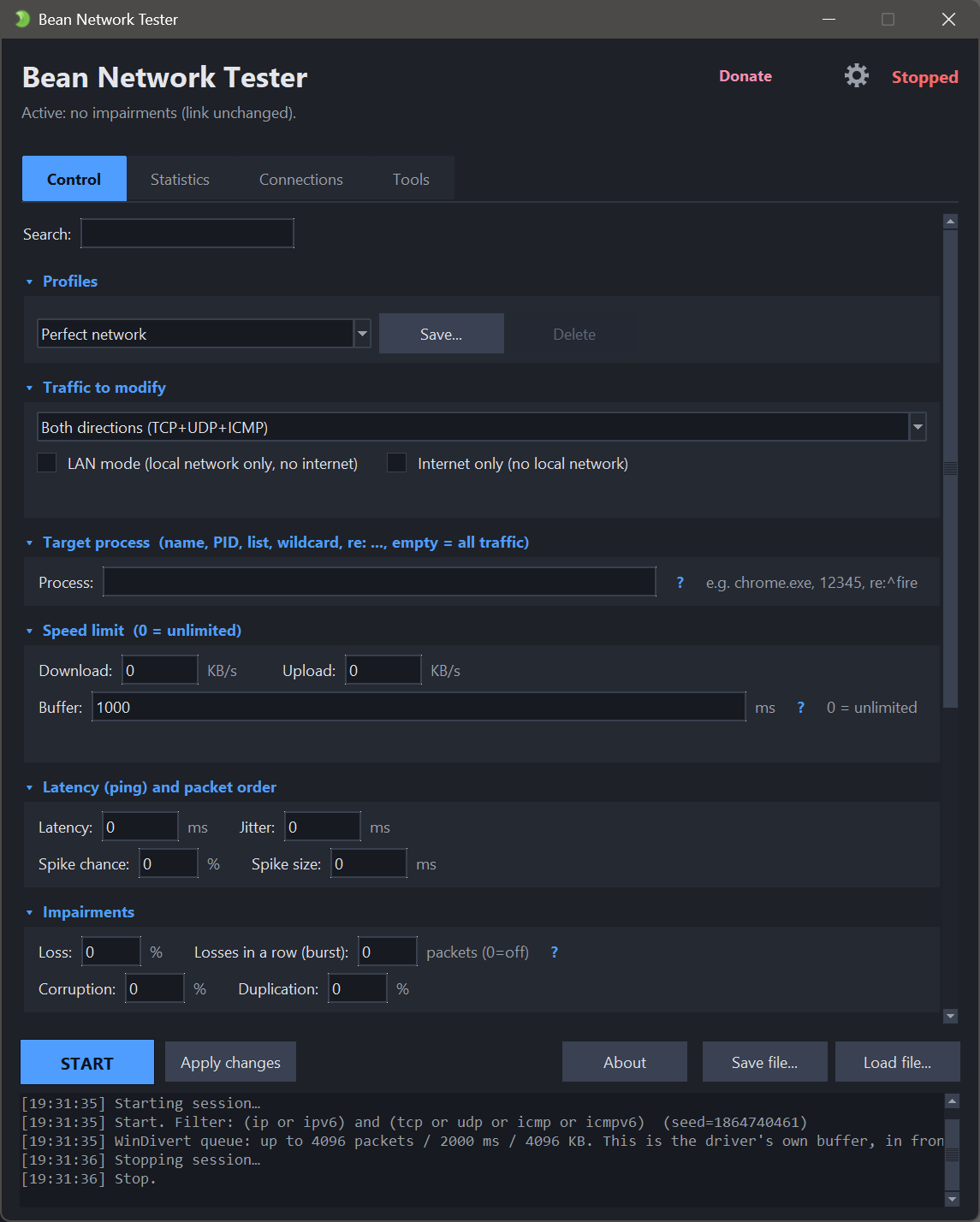
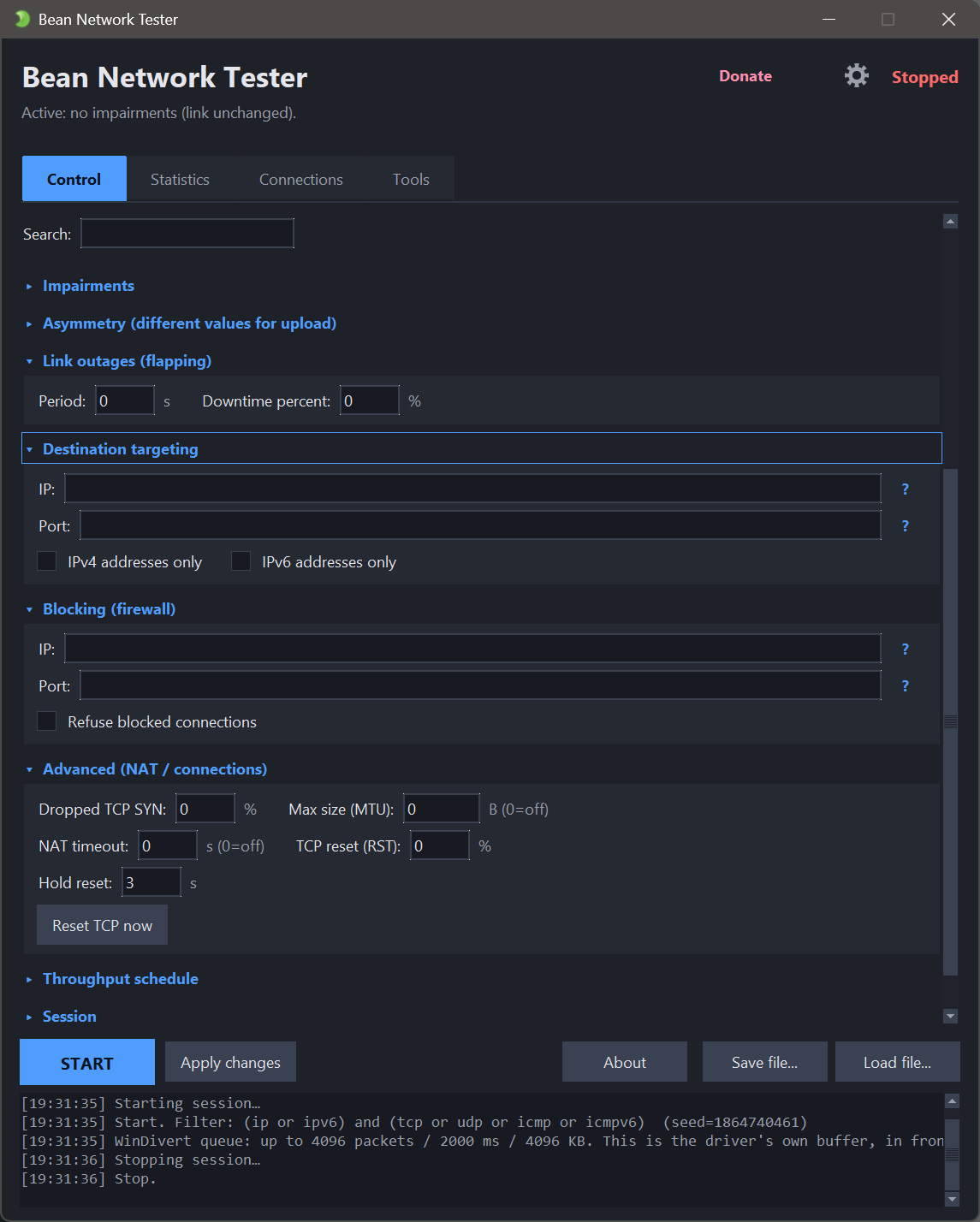
Bean Network Tester is a tool for testers and developers: check how your application behaves on a poor connection. Like Clumsy or NetLimiter, it lets you deliberately degrade the network - add ping, drop packets, cap the speed, tear connections down, and more. It works by intercepting traffic with the WinDivert driver (via PyDivert), and offers both a clear windowed interface with tooltips and a command-line mode for CI.
⭐ If it saved you time, leave a star. on GitHub That is how the next tester who needs it finds out it exists.
What it can do
- Add lag and jitter - fixed or random delay, plus occasional spikes.
- Drop, corrupt or duplicate packets - loss can arrive in bursts, the way a real wireless link fails.
- Cap download/upload speed - throttle to a set KB/s, with a buffer that adds queuing delay before it starts dropping.
- Tear connections down - TCP resets, a dead link, or new connections that never come up.
- Flap the link on and off - outages that come and go.
- Break the path, not only the packets - an MTU black hole and NAT-style idle timeouts.
- Block ports or IPs - a small built-in firewall, plus LAN mode (no internet) and internet only (no local network).
- Aim at one app - by process name, PID, IP, port, or one address family.
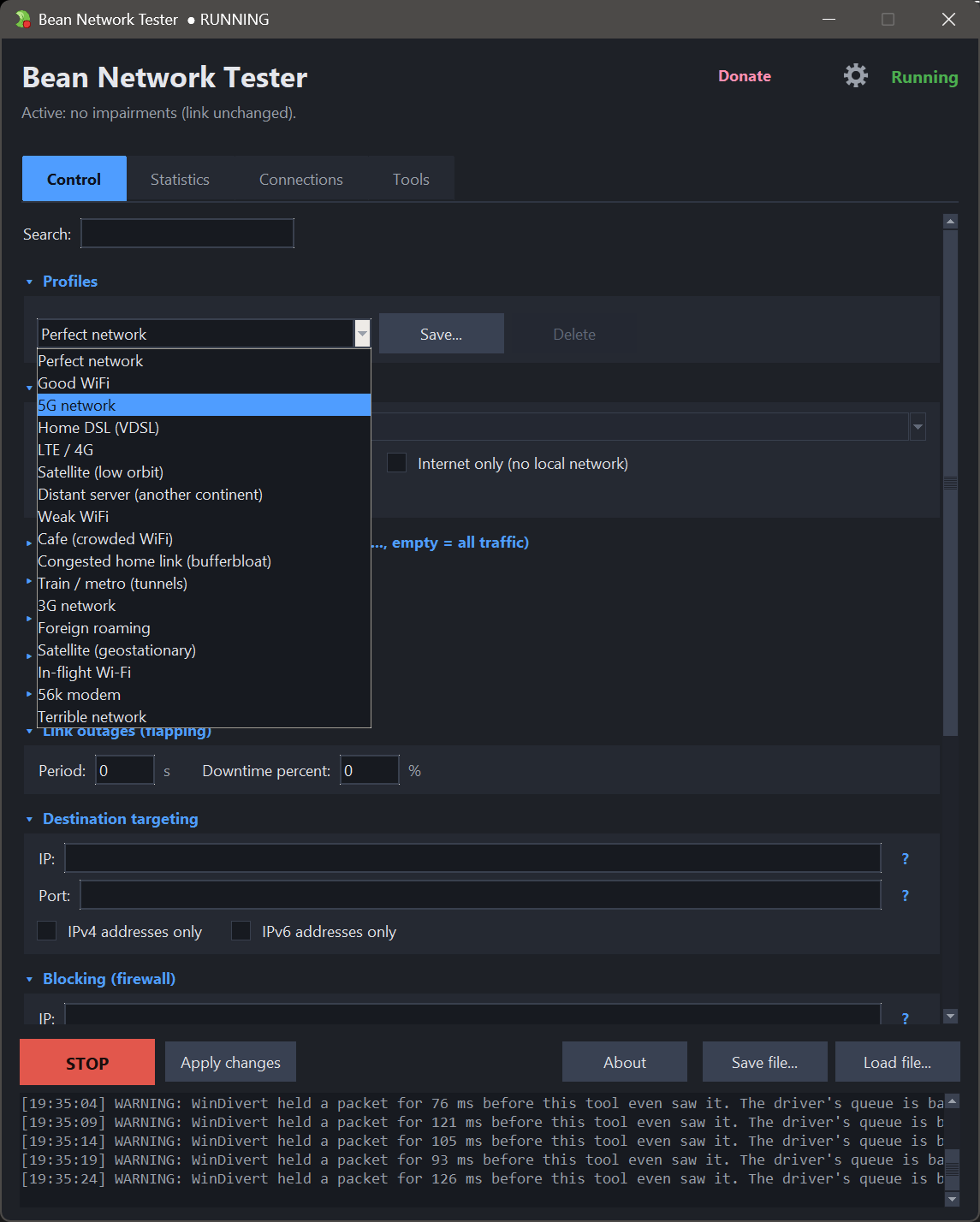
- Presets and saved profiles - 56k modem, Cafe WiFi, Satellite, In-flight Wi-Fi and more.
- Run scripted scenarios - timed steps that change the network on their own.
- Schedule the speed limit - a repeating timeline of rates, without writing a scenario.
- Reproducible by seed - replay the exact same random loss and jitter.
- Hand a bug over - a report with every setting, the counters and the command line that repeats the run.
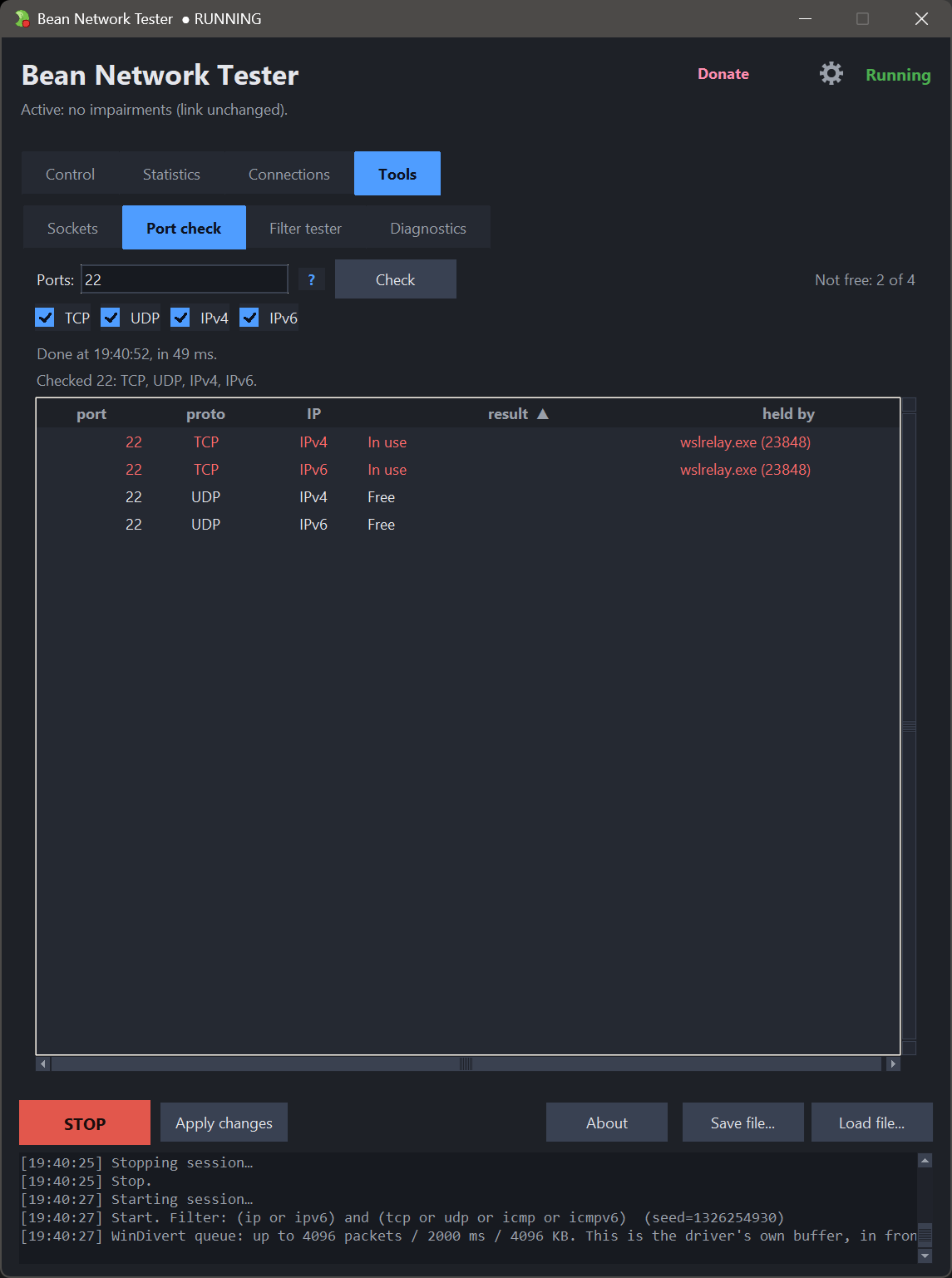
- Build-in network tools, check connections and open port/ports
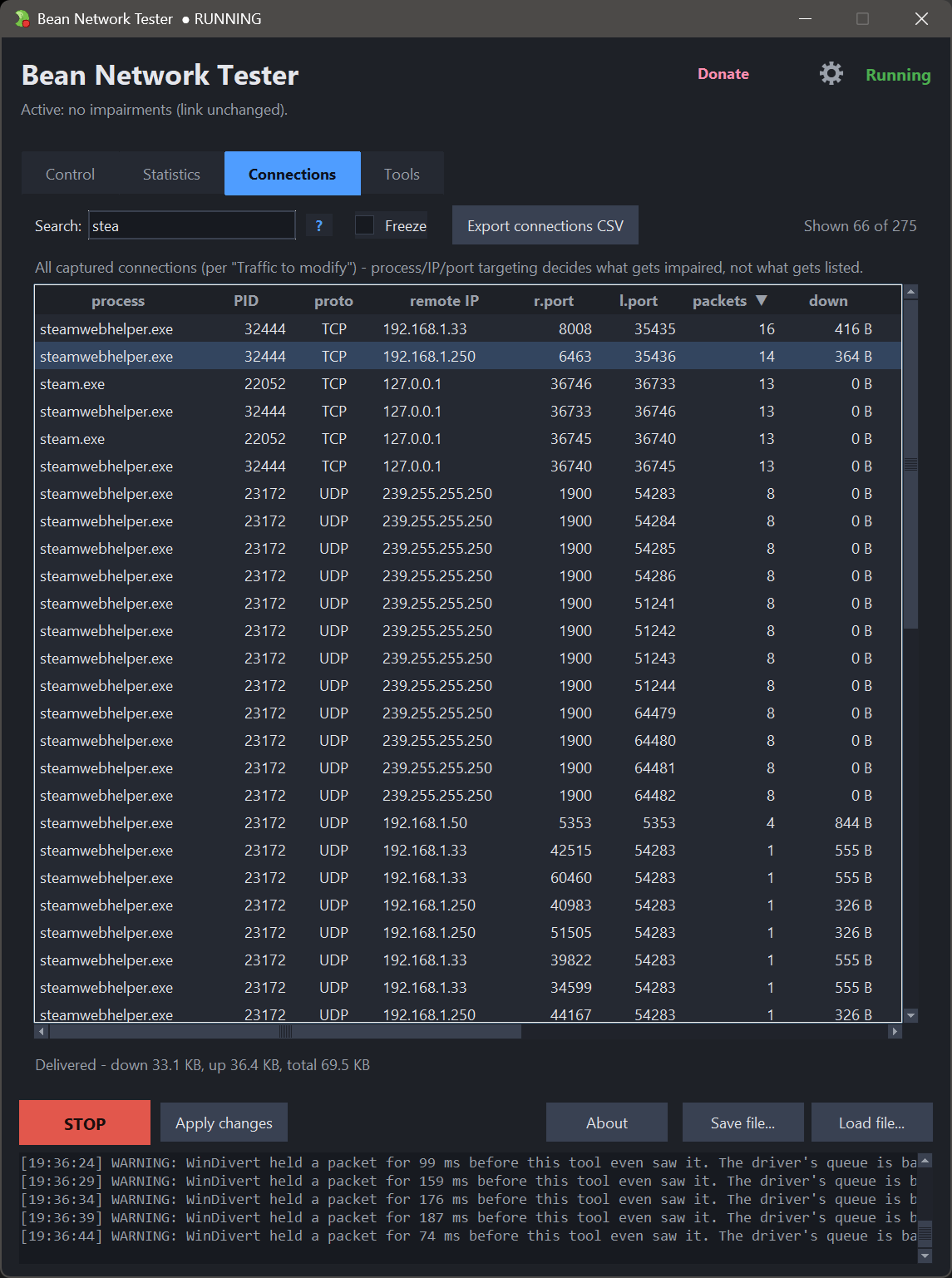
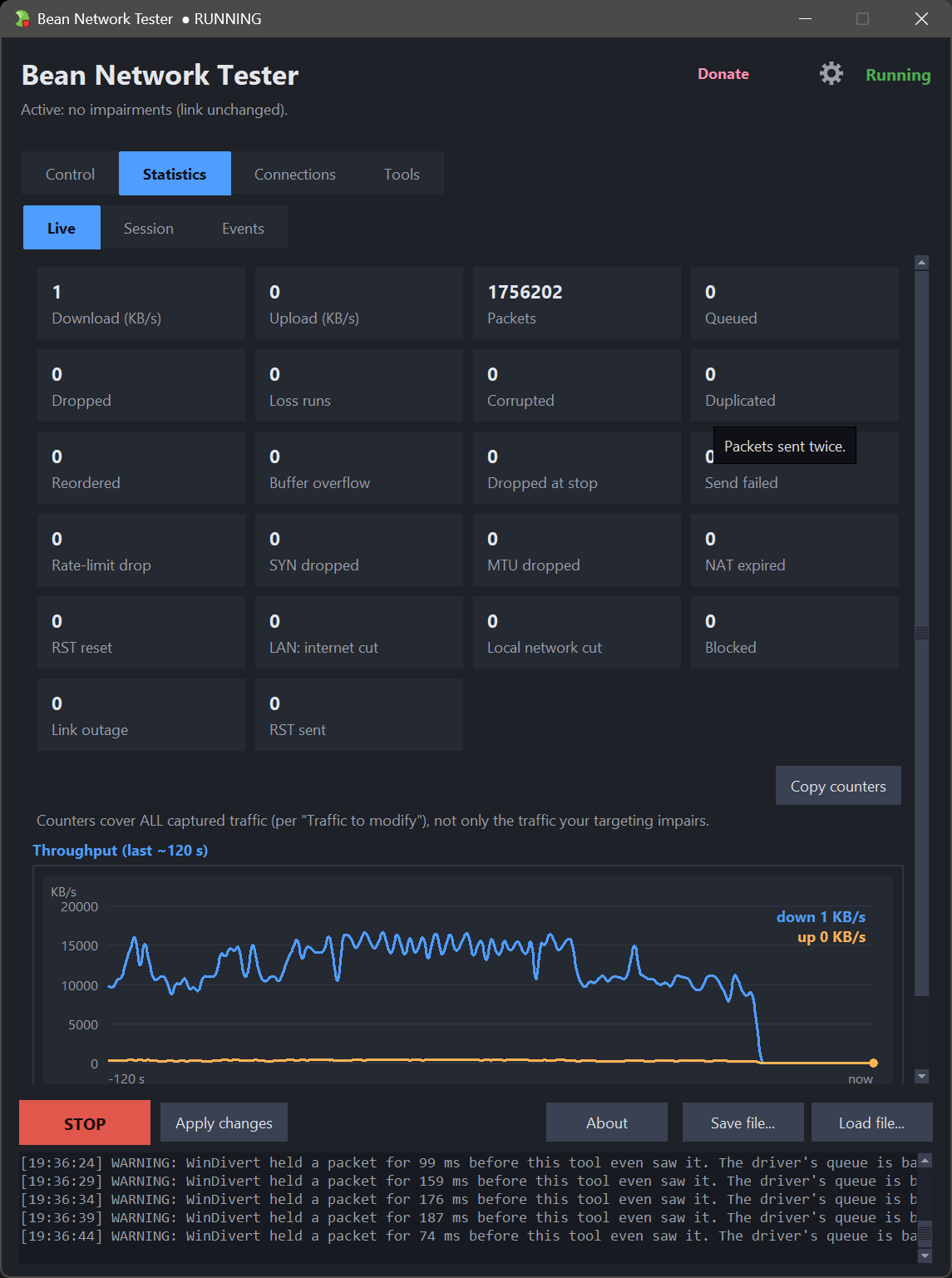
- Watch it live - chart, counters, a searchable connections table and an event log.
- Export to CSV - session statistics and a snapshot of the connections table.
- Command-line mode - scriptable for CI, with exit codes and JSON output.
Source code:
https://github.com/donislawdev/BeanNetworkTester
WebSite <-- CLI documentation
BNT comes with profiles: "Perfect network, Good Wi-Fi, 5G network, Home DSL (VDSL), LTE/4G, Satellite (low orbit), Distant server (another continent), Weak Wi-Fi, Cafe (crowded Wi-Fi), Congested home link (bufferbloat), Train/metro (tunnels), 3G network, Foreign roaming, Satellite (geostationary), In-flight Wi-Fi, 56k modem, Terrible network", but you can add your own profiles.
If you want the "fastest use" of bnt, then just chose one of the profiles, then target app and click start, done, if you want more "advanced" you can create own profiles or edit the profiles. OR if you just want to use the network tools, then go to the "tools" tab :-)
Download
Click download now to get access to the following files:
Also available on

Leave a comment
Log in with itch.io to leave a comment.